For Hosts
The Complete Hopscotch Host Guide
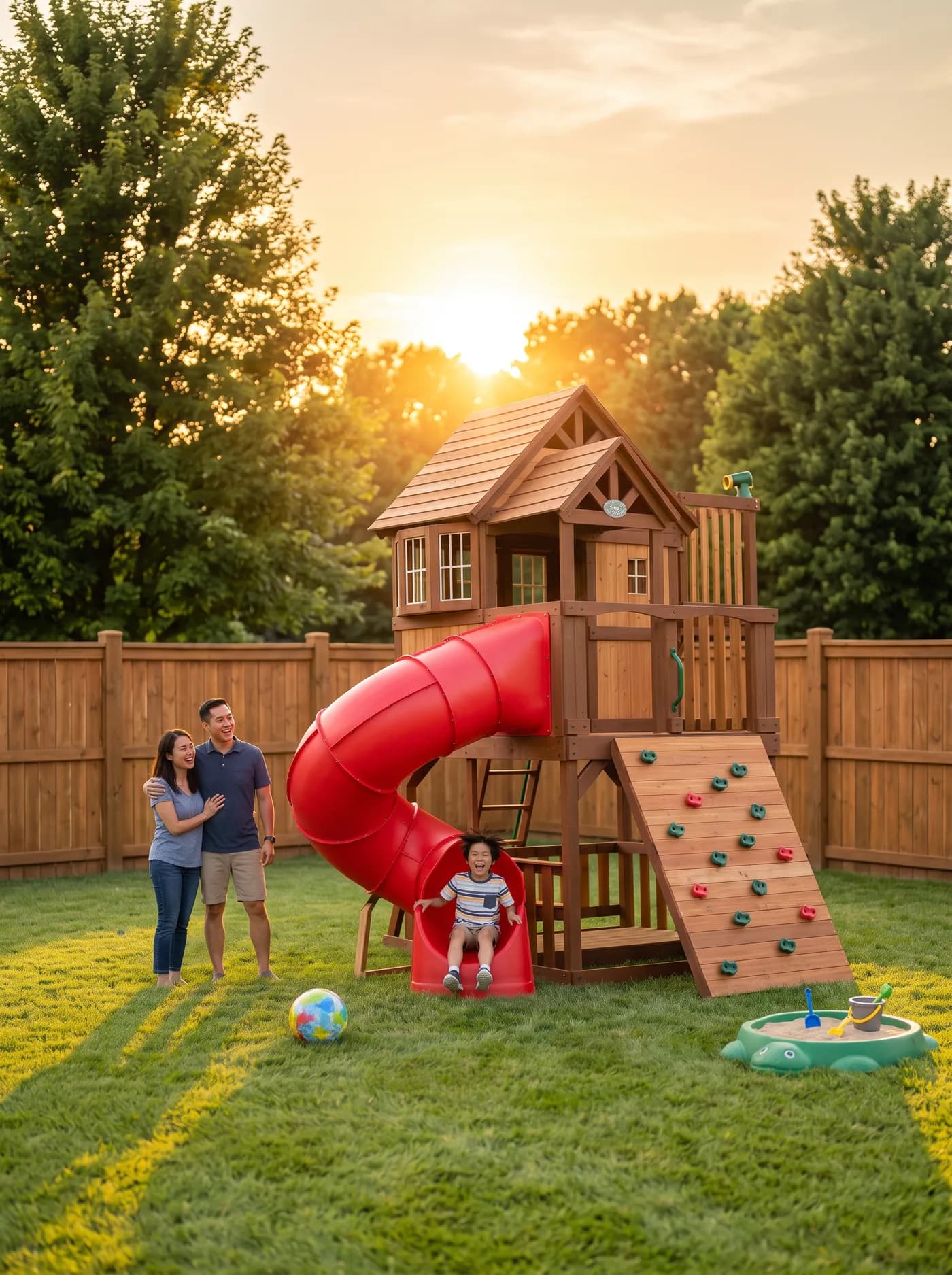
Thinking of turning your backyard into a little extra income? Here's everything you need to know, start to finish — from whether your space is a good fit, to setting your price, to getting paid.
Is your space a good fit?
You don't need a resort-style backyard. You need a space where a family can show up, play safely for an hour or two, and leave happy. The hosts who do best usually have:
- A fence, even a partial one. Fully fenced spaces get booked the most, since parents can relax instead of chasing toddlers toward the street.
- Some shade. A tree, a covered patio, or even a shade sail makes a huge difference on hot afternoons — especially here in Las Vegas.
- Something to do. A trampoline, a play structure, a pool, open grass for games — anything that gives kids a reason to want to come back.
- A way in that doesn't go through your house. A side gate or backyard access means guests never need to walk through your living room.
None of these are requirements — plenty of hosts list a simple fenced yard with nothing but grass and get booked regularly. But the more of these boxes you check, the easier your space is to market.
Setting up your listing
Creating a listing takes about ten minutes:
- Create a free host account and start a new listing from your dashboard.
- Add your basics — title, description (up to 3,000 characters), city, and address. Your exact address is never shown publicly; guests only see your general neighborhood until a booking is confirmed.
- Pick your amenities — fenced, shaded, water access, restroom access, parking, play structure, grass surface, and whether your space is pet-free.
- Add photos. You can upload up to 25. Listings with at least five photos showing the whole space, not just one angle, tend to book faster.
- Fill out the safety checklist. This covers fencing, pool or water features, play equipment condition, and anything else a parent would want to know before booking. Be specific and be honest — families are trusting you with their kids.
- Set your hourly rate and minimum booking length, and write your house rules (shoes off on the trampoline, gate stays latched, whatever matters to you).
- Submit for review. Our team checks every new listing before it goes live, usually within a day or two.
Setting your schedule
Once you're approved, you're in full control of when your space is bookable:
- Weekly hours. Turn on the days you're open and set the hours for each — Tuesday evenings only, every weekend, whatever fits your life.
- Blackout dates. Block off a single day or a whole week anytime, right from a calendar view — handy for vacations, parties, or just needing a weekend off.
- Buffer time. By default we leave 30 minutes open before and after every booking so you have time to reset the space. You can increase or decrease that per listing.
- Booking increments. Bookings default to starting on the hour; you can change that too if you'd rather guests only book in, say, 30-minute increments.
Instant Book vs. reviewing requests
You choose how hands-on you want to be:
- Request-to-book (the default). Every booking comes to you first. You have 24 hours to accept or decline — if you don't respond, the request expires and the guest's card is never charged.
- Instant Book. Once you're comfortable with how things work, you can turn this on so qualifying bookings (24 hours or more out) confirm automatically, no action needed from you.
Either way, you'll always see who's booking, how many guests, and whether it's their first visit with you before anything is final.
Welcoming guests
Every booking gets its own message thread with the guest, so you can coordinate arrival, parking, or anything else before they show up. You can also write your own automatic welcome message (sent the moment a booking confirms) and thank-you message (sent after the visit) — set them once in your listing settings and Hopscotch sends them for you every time. Leave either blank and we'll send a friendly default on your behalf.
One thing worth knowing: to protect families' privacy, you'll see a guest's name as "First L." (first name, last initial) rather than their full name, and you won't see their children's names — just how many are coming. It's enough to know who's showing up without exposing more than necessary.
Getting paid
Payments are handled entirely through Stripe. Once you connect a bank account, here's how the money works:
- Guests pay the listed hourly rate, plus a 15% service fee that Hopscotch charges them on top.
- Hopscotch takes a 5% fee from your side of each booking.
- Your payout — what's left after that 5% — is deposited straight to your bank account after a short hold period. No invoices, no chasing anyone down.
- You can see your running total, upcoming payouts, and every past booking from your payouts page, and export it all as a CSV whenever you need it for taxes.
Managing bookings as they come in
A few tools worth knowing about once you're up and running:
- Message anytime. Every booking has its own conversation thread.
- Cancel if you need to, as long as it's more than 24 hours before the start — inside that window, reach out to our support team.
- Block a guest who you'd rather not host again. They won't be able to book or message you going forward. (It doesn't cancel anything already on the books — you'd still cancel that separately if needed.)
- Report a problem from any past booking if something went wrong, and our team will follow up.
Safety, trust, and reviews
Every host goes through identity verification and a background check before a listing can go live — guests see a "Verified host" badge once that's complete. Every booking also includes a small protection fee that funds damage and liability coverage, in case something gets broken or someone gets hurt.
Reviews work a little differently here than you might expect: both sides submit their review blind, without seeing what the other person wrote, and reviews only become visible once both are in (or after 14 days, whichever comes first). That keeps feedback honest in both directions. Guests reviewing your space also rate six specific categories — cleanliness, accuracy, check-in, communication, location, and value — alongside their overall rating, so you get a clear read on what's working and what isn't.
Ready to get started?
If your yard is sitting empty most days, there's a good chance it's exactly what some family nearby is looking for. Become a host and get your first listing live this week.